Important Safety Information
NOTE — The information in this manual is subject to change without notice. The manufacturer assumes no responsibility for any errors that may appear in this manual. The reproduction, transmission or use of this document or contents is not permitted without express written authorization.
WARNING — Before using, read this manual to ensure that you have a thorough understanding of the correct usage and handling of this product. Incorrect handling may result in personal injury or physical damage. The manufacturer assumes no responsibility for any damage caused by mishandling that is beyond normal usage defined in the manuals for these products.
Please read the following safety instructions before setting up your system. Keep the instructions for further reference. Please heed the warnings and follow the instructions.
⚠ Do not open the enclosure. There are no user-serviceable parts inside. Refer servicing to your dealer or qualified service personnel.
⚠ Always power down Terra before connecting or disconnecting the 4-pole Speak-On cable between Terra and Gravity. Connecting or disconnecting this cable while the system is powered on can damage both units.
⚠ Use only a 4-pole Speak-On speaker cable, of the correct gauge and length for your installation, to connect Gravity to Terra.
⚠ Use only mounting hardware rated to handle the weight of Gravity. Each Gravity enclosure weighs 20.4kg (45 lbs). Whether wall-mounting via the 200×200 VESA pattern or placing on the floor, confirm the mounting point or surface can support this weight before installing. Use proper lifting technique and, where possible, a second person when moving or mounting Gravity. Failing to take these precautions can result in personal injury or damage to the product.
⚠ VESA-compatible wall-mount hardware is not currently supplied with Gravity; source a mount rated for at least 20.4kg (45 lbs) separately.
⛔ Be aware that the driver in this subwoofer emits a magnetic field, and can be damaged by, or cause damage to, magnetically sensitive items such as rings, necklaces, hard drives, and CRT displays. Please keep all magnetically sensitive items at least 1.5 feet (0.5m) away from the enclosure.
⚠ Avoid exposing the enclosure to any open flame.
⚠ Do not expose Gravity to water. Do not set up Gravity near a water source.
⚠ Use a dry cloth or duster for cleaning. Avoid flammable or combustible chemicals or cleaning agents.
⚠ Do not install near any intense heat sources such as radiators, hot air vents, stoves, or other equipment that produces heat.
⚠ Never expose this product to extremely high or low temperatures.
⚠ Never operate this product in an explosive atmosphere.
⛔ BE AWARE: High SPL can damage your hearing! Please avoid getting too close to the system while using it at high volumes.
⚠ Only use attachments/accessories specified herein.
⚠ Install in accordance with the instructions explained in this manual.
⛔ All servicing must be performed by qualified service personnel. Servicing is required when Gravity has been damaged in any way, e.g. if the connecting cable has been damaged, liquid has been spilled or objects have fallen into the driver, careless handling, or if the enclosure has been exposed to rain or moisture, does not operate normally, or has been dropped.
Key Features of Gravity
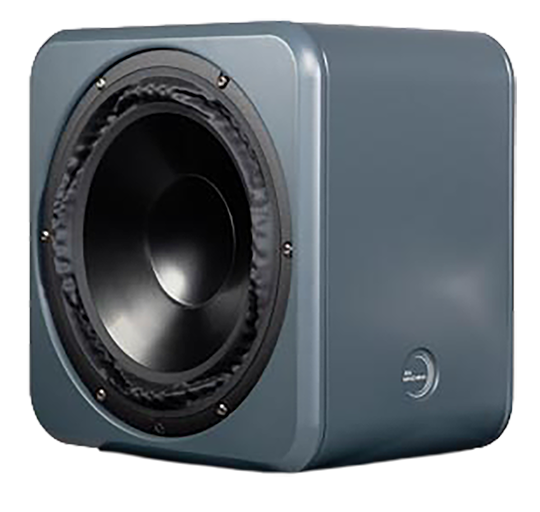
Driver
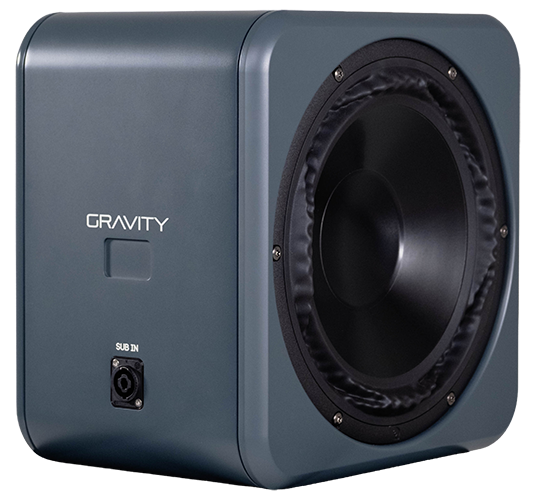
Gravity's low-frequency driver is a 26cm (10.2") PuriFi PTT10.0W96-08, purpose-built for dedicated subwoofer duty. It shares the same hybrid motor architecture and symmetrical surround geometry as Terra's own woofer, scaled up for long-throw, low-frequency output. Custom concave aluminum diaphragms maximize bending stiffness where this driver operates; uneven stiffness creates harmonic distortion, and asymmetric excursion creates compression, so this design eliminates both, even at the long excursions deep bass requires.
The result is a subwoofer that reproduces what's in the recording rather than adding character of its own.
System Integration
Gravity contains no amplification and no electronics of its own. Power, crossover, time alignment, and calibration all come from Terra's rear panel over the 4-pole Speak-On connection. That isn't a cost reduction, it's what lets the two units behave as a single system: there is no seam in the crossover, because there is no independent system on either side of it.
The integration crossover is an 80Hz zero-phase LR4, implemented digitally in Terra's DSP. With Gravity connected, the system extends to 30Hz linear (F6 at 20Hz), and headroom increases to 112dB @ 1kHz, 106dB @ 50Hz. Everything upstream of the crossover, meaning everything you already know about Terra's imaging and tonal balance, is unchanged.
Over-the-air calibration updates applied to Terra extend to the complete Terra + Gravity system, the same as any other connected accessory.
Cabinet
Gravity's cabinet uses the same monocoque aluminum extrusion approach as Terra, scaled for subwoofer duty. Each enclosure starts as a 12mm flat-wall extrusion with 25mm ribbing at every corner and center wall point, built to resist the back-pressure of a long-throw 26cm driver without ringing. Front and rear baffles are 19mm solid aluminum, compressed onto the main shell with M12 bolts applying nearly 4 tons of clamping force across the assembly.
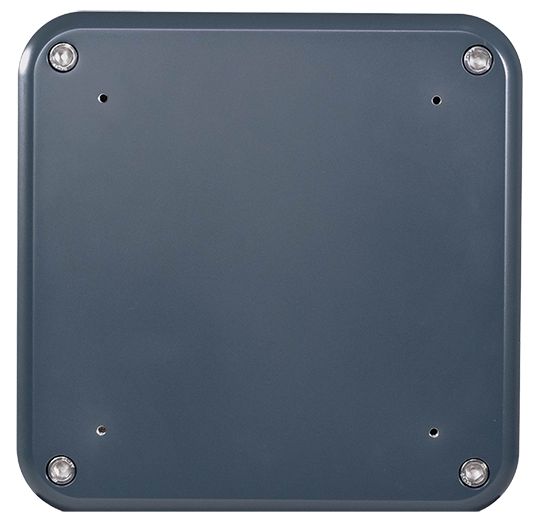
The enclosure is a side-firing, shallow-depth design built for on-wall mounting via a 200×200 VESA pattern (M6 fasteners), as well as floor placement.
Initial Setup & Connection to Terra
Unboxing
Gravity ships as a matched pair. Inside the box you should find:
- Two Gravity subwoofers
- One quick start welcome packet
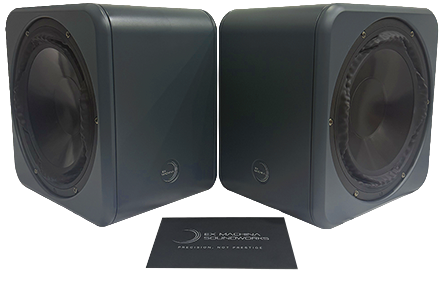
Gravity ships in a clamshell configuration similar to Terra. The combined box weight is 100 lbs, so use proper lifting technique and a second person to move the box before the two subwoofers are unpacked and separated.
A 4-pole Speak-On cable and mounting hardware are not included and must be purchased separately.
Mounting & Placement
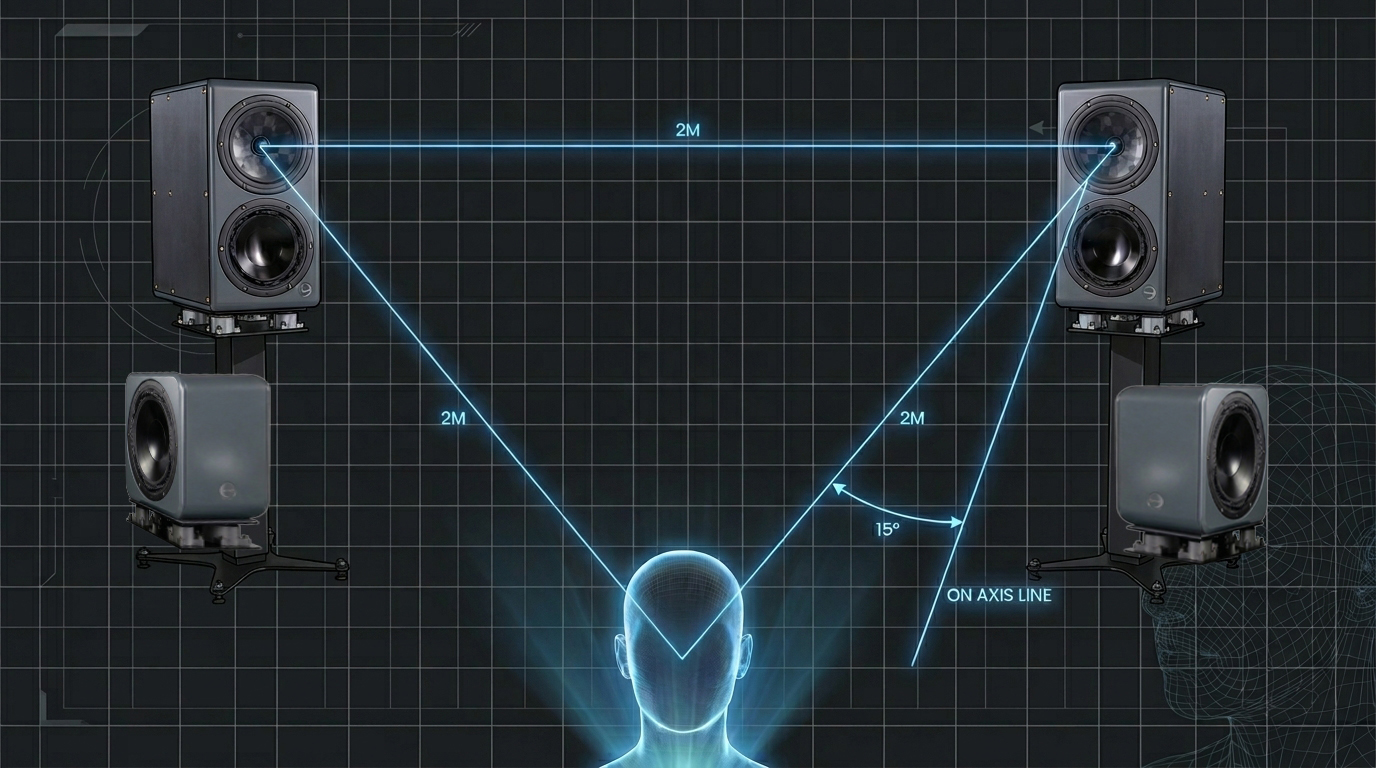
Keep each Gravity as close to its paired Terra as possible. Gravity's compact footprint makes this straightforward in most rooms: aim for roughly 42" in height and less than 12" away from the corresponding Terra. If your installation can't achieve that spacing, Houston's sub-delay control lets you compensate for the added distance in software. Mount via the 200×200 VESA pattern or place on the floor, using mounting hardware rated for at least 20.4kg (45 lbs) per unit, sourced separately as noted above.
Connecting Gravity to Terra
Gravity has no indicator of its own; system status is read from Terra's existing rear-panel LED.
- Power off both Terra monitors completely before connecting Gravity. Never connect or disconnect the Speak-On cable while the system is powered on.
- Connect one end of a 4-pole Speak-On cable to the left Terra's rear-panel Gravity output, and the other end to the left Gravity's input. Repeat for the right channel.
- Mount or place each Gravity per the guidance above.
- Power on Terra. The system will recognize Gravity automatically and extend to 30Hz linear; no separate configuration is required beyond the optional sub-delay adjustment in Houston.
Controls & Adjustment
Gravity has no physical controls of its own. Everything below is adjusted in the Houston app, connected to your Terra over WiFi — refer to the quick start guide to get Terra onto your network first.
Subwoofer Control
Houston gives you volume, mute, and delay control over Gravity as a normal subwoofer channel. Use delay to correct for placement if your installation can't hit the recommended spacing above (roughly 42" height, less than 12" from its paired Terra); this keeps the integration crossover's time alignment accurate regardless of exact placement.
LFE Input
Terra's rear-panel LFE input is built to take a discrete LFE feed from a home theater processor or similar source and route it to Gravity automatically. All crossover handling happens inside Terra's DSP; there's nothing to configure on Gravity itself. In Houston, the LFE input has its own independent volume, mute, and solo controls, separate from Gravity's normal subwoofer control above.
Technical Specifications
| Performance (integrated with Terra) | |
|---|---|
| System Frequency Response | ±1.5dB, 30Hz–30kHz (linear to 30Hz, F1 at 30Hz) |
| System Low Freq. Extension | F6 at 20Hz |
| System Max SPL @ 1m | 112dB @ 1kHz |
| System Max LF SPL @ 1m | 106dB @ 50Hz |
| System Phase Response | ±15°, 30Hz–30kHz |
| Integration Crossover | 80Hz zero-phase LR4 digital |
| Driver | |
|---|---|
| Subwoofer Driver | 26cm (10.2") PuriFi PTT10.0W96-08 |
| Diaphragm | Custom concave aluminum |
| Design | |
|---|---|
| Type | Passive, no internal amplification or electronics |
| Power Source | Terra rear panel amplification |
| Gain Control | Volume, mute, and delay, via Houston |
| LFE Input | Via Terra's rear-panel LFE XLR, auto-routed to Gravity; independent volume/mute/solo in Houston |
| Compatibility | Designed exclusively for Terra, requires Terra for operation |
| Physical | |
|---|---|
| Dimensions | 305mm H × 215mm W × 305mm D |
| Configuration | Side-firing, shallow depth for on-wall mounting |
| Weight | 20.4kg (45 lbs) per subwoofer |
| Mounting | 200×200 VESA, M6 fasteners |
| Baffles | 19mm solid aluminum, front and rear |
| Warranty | |
|---|---|
| Standard | 2 years |
| Registered | 6 years |
Warranty & Servicing
Gravity contains no user-serviceable parts. It has no AC connection, no fuse, and no internal electronics, all amplification and DSP live in the paired Terra. If Gravity is not producing output, check the Speak-On connection to the Terra and confirm the channel is not muted in Houston before contacting support.
Gravity is covered by a 2-year limited warranty from the date of purchase. Registering your product within 60 days of purchase at exmachinasound.com/support/register extends this coverage to 6 years.
This warranty covers defects in materials and workmanship under normal use. It does not cover damage resulting from misuse, unauthorized modification, improper installation, or use of a connecting cable other than the specified 4-pole Speak-On type. Field-replaceable components are covered per the standard field-replaceable parts policy.
- Ex Machina Soundworks, LLC warrants new products against defects in materials and manufacturing for a period of 2 years from the date of purchase. Register your product within 60 days of purchase to extend this coverage to 6 years from the date of registration.
- The warranty is tied to the product, not the customer, and is transferable.
- During the warranty period, Ex Machina Soundworks will repair or replace a faulty unit (per our discretion).
- Warranty repairs must be carried out by either Ex Machina Soundworks or an authorized repair center, with the exception of driver units, which are field replaceable.
- You must contact your authorized dealer or Ex Machina Soundworks to initiate a warranty claim.
- Ex Machina Soundworks' liability is with its authorized dealers. Contact with the end user may occur, but the warranty claim must be referred to an authorized dealer. Until the product has been inspected, or determined to be in defect by Ex Machina Soundworks' service department, we will admit no liability.
- No warranty will be honored without a valid serial number.
- In the case of a warranty claim, the product or components must be returned to the factory at the customer's expense.
- If the warranty claim is accepted, shipping costs incurred will be reimbursed by Ex Machina Soundworks.
Questions about your system? Visit support or contact your dealer.
Visit Support